To search
Softonic Rating:
Not bad:6/10
License:
Free
Added:
October 29, 2007
Publisher:
Website
File size:
11.5 MB
Downloads:
1,341
Elena Santos

“Easy three-step video conversion”

by Elena Santos

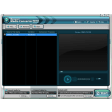
WM Converter is intended to be an easy tool for novice users to convert video files between different formats. And yes, it's very easy to use, but at the same time it's a bit too simple.

To convert video files, just drag and drop them right onto the program's interface and then select the target format. You can choose between several of them, but there are no options to customize size, quality and other settings.

Besides video conversion WM Converter can also split and merge files, although this is not that easy because you have to set splitting times by entering the exact location inside the video. It would have been much easier to play the video and then mark the exact location with the mouse. But that would probably require a complete interface redesign - something which anyway would be positive for this program.

WM Convert enables you to perform basic video conversion tasks in a quick, easy way.

Languages:

English

WM Converter supports the following formats:

Windows Media, Flash Media, Quick Time, iPod, MPG and Real Media

OS requirements for WM Converter:

  • OS: WinXP
Pros
  • Conversion is very easy
  • Several format presets to choose from
Cons
  • Too simple
  • Dull interface
  • Splitting tool is difficult to use
Did you like this review?
7 of 9 users liked it (78%)

From the publisher of WM Converter

WM Converter is a powerful, easy to use video/audio converter. It can convert multiple files to and from all popular video and audio formats.

When converting video and audio files the computer CPU is utilized at its maximum capacity (100% loading). Low speed processors (below 1.5 GHz) do not perform well. Dual core processors are the best choice. In general the amount of time required to convert a video file is the same as the play time (duration) of the video. Audio files are converted in a shorter period of time.

Note that the quality of a converted video/audio file cannot be better than the original if higher conversion bit rates (kbps) or frames rates (fps) are used.

WM Converter options

WM Converter Options

Reviews for WM Converter in other languages

Softonic Rating:Not bad
10/10

User Rating

1 rating
Usability
  • Currently 10/10.
Stability
  • Currently 10/10.
Installation
  • Currently 10/10.
Functionality
  • Currently 9/10.
Appearance
  • Currently 4/10.

Download stats